Short answer: A SaaS explainer video maker should show your actual product, not cartoon characters or stock footage. Motioneed is a SaaS explainer video maker that works from a URL: it captures your real logo, colors, copy and interface, turns them into animated scenes with music, and gives you a 10 to 90 second explainer you can preview free and export on a paid plan.
Search "saas explainer video" and the autocomplete fills in with "examples", "template", "maker", "ai" and "agency". That spread tells you what founders are weighing: hire an agency, buy an After Effects template, or use a tool. This post compares those routes honestly and shows where a URL-based maker like Motioneed fits.
What a SaaS explainer video needs to do
An explainer has one job: make a stranger understand what your product does and why it matters, fast. For software that usually means four beats.
| Beat | What the viewer should get | Where it comes from |
|---|---|---|
| Problem | "This is the pain I have" | Your homepage headline or subhead |
| Product | "This is the thing that fixes it" | Logo and a hero screenshot |
| Proof in the UI | "I can see how it works" | Two or three real interface moments |
| Call to action | "Here's what to do next" | Your main button copy |
Notice that almost all of it already lives on your website. That's the idea behind Motioneed: rather than briefing an agency or filling a template, let the tool read the page that already explains your product.
SaaS explainer video maker options compared
| Route | Turnaround | Shows your real UI | Easy to update |
|---|---|---|---|
| Agency | Weeks, with briefs and review rounds | Usually, if you supply screens | Each change is a new request |
| After Effects template | Days, if you know After Effects | Only if you swap in screenshots by hand | Manual every time |
| Avatar / stock AI maker | Minutes | Rarely, the presenter is the focus | Easy, but the product stays in the background |
| Motioneed (from URL) | Minutes per preview | Yes, captured from the page | Revise in plain words on a paid plan |
We're not claiming an agency can't make something wonderful. A custom character animation with a professional voiceover is a different product. Motioneed is for teams who want a crisp explainer built from what they've already shipped, and who want to be able to regenerate it when the UI changes.
How Motioneed works as a SaaS explainer video maker
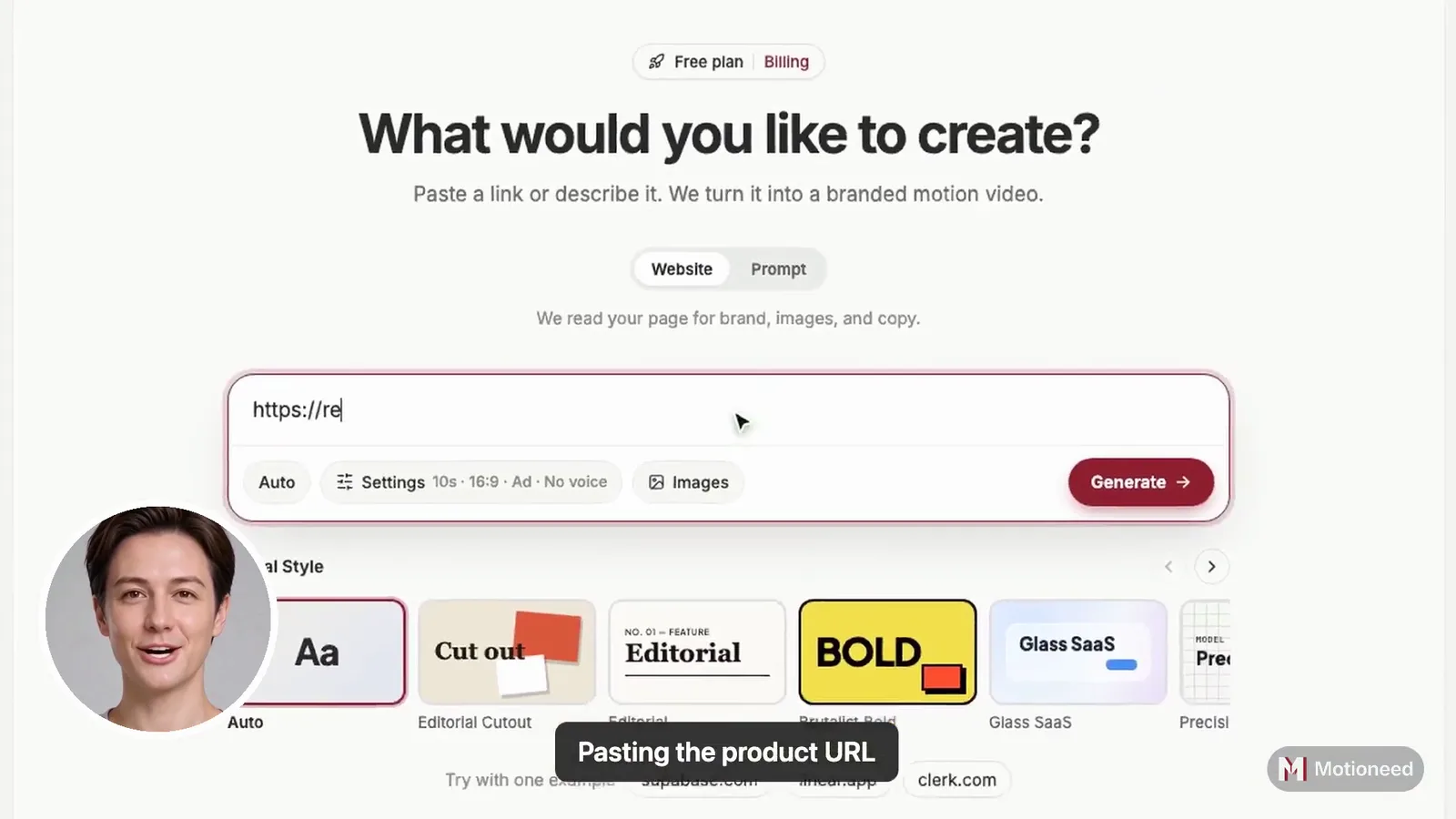
- Paste your URL (or describe the product in a sentence).
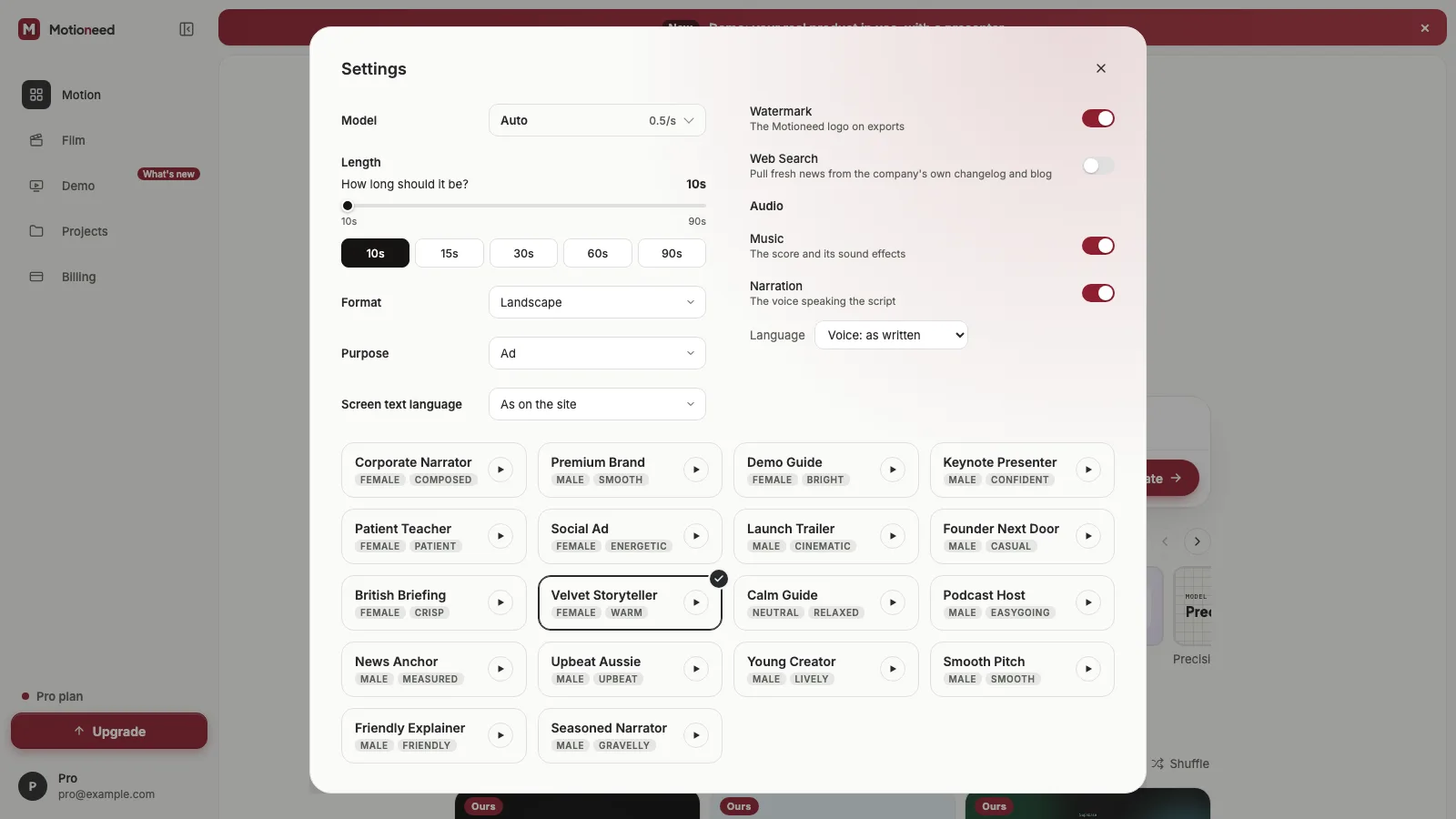
- Pick the format. 16:9 for your site and YouTube, 9:16 for short-form social, 4:3 for decks, 3:4 for feeds.
- Pick the length. 10, 15, 30, 60 or 90 seconds. For a homepage explainer, 30 to 60 seconds is a sensible start.
- Preview. Motioneed captures the brand and UI, plans a storyboard, rebuilds and animates the scenes and adds a music bed.
- Revise and export. Paid plans and credit packs unlock revise, export without the mark, version history and share links.
The cut is checked by quality gates before you see it, and each scene is framed around the part of the screenshot that matters. Those details are in Shot intent and real screenshot crops and Film pacing and quality gates.
SaaS explainer video AI: what to expect and what not to
AI explainer tools vary a lot. Here is what Motioneed does and doesn't do, so you can judge it fairly:
- It does use your real logo, palette, headlines and screenshots.
- It does pace scenes with calm, standard or energetic profiles.
- It does refund credits for jobs that fail.
- It doesn't invent a presenter, customers or metrics. If you want testimonials in the video, they need to be on your page.
- It doesn't capture screens behind a login. Put the screens you want on a public page first.
Tips for a stronger explainer
- Start from a focused page. A single feature page gives a tighter story than a homepage that lists everything.
- Write the headline as a promise. It usually becomes the opening line of the explainer.
- Keep one CTA. One action at the end beats three.
- Make a vertical cut too. The same URL in 9:16 gives you a social version without extra work.
If you're explaining a launch rather than the whole product, read How to make a Product Hunt launch video from a URL. For the reasoning behind real-UI video in general, see Why Motioneed turns a URL into real-UI video.
Pricing
New accounts get 6 credits for a free Motion preview with the Motioneed mark. Pro is $29 a month for 100 credits, Max is $99 for 500, Ultra is $950 for 5000, and credit packs start at $15. See pricing for current details.
FAQ
What is the best SaaS explainer video maker? It depends on what you need. If you want a custom illustrated story, an agency fits. If you want an explainer built from your real product UI in minutes, a URL-based maker like Motioneed fits.
How long should a SaaS explainer video be? For a homepage, 30 to 60 seconds usually covers problem, product, proof and CTA. For social, 10 to 15 seconds. Motioneed supports 10 to 90 seconds.
Can I make a SaaS explainer video with AI for free? You can make one Motion preview free with your 6 starter credits. It carries the Motioneed mark. Export without the mark needs a paid plan or a credit pack.
Do I need After Effects or a template? No. Motioneed builds and animates the scenes for you from your URL.
Will the explainer show my real dashboard? Yes, if the dashboard or a screenshot of it is on the public page you paste. Motioneed captures what a logged-out visitor sees.
Can I update it when my UI changes? Yes. Generate a new cut from the updated page, or revise an existing version on a paid plan.